Documentation
Tasking - Project Management System
Thank you so much for purchasing our item from codecanyon.
- Version: 1.0.0
- Author: Stackwebify
- Created: 22 April, 2026
- Update: 22 April, 2026
If you have any questions that are beyond the scope of this help file, Please feel free to email via Item Support Page.
Basic Knowledge
To install, set up, and publish Shopking with your branding, it's necessary to possess fundamental knowledge in both server-side and mobile app development since the system comprises multiple features for web and mobile applications.
- IDE for Web development, we preferred PhpStorm and VSCode.
- Real server Server related knowledge like apache
- Server related knowledge and we preferred cPanel in your server for quick installation.
- Basic knowledge in PHP, Node, NPM, Vue and Laravel.
Server
Before install, please make sure you have the components bellow enable on your server
- PHP 8.2 or Greater
- MySQL 8.0 or Greater
- OpenSSL PHP Extension
- PDO PHP Extension
- Mbstring PHP Extension
- Tokenizer PHP Extension
- XML PHP Extension
- Exif PHP Extension
- Fileinfo PHP Extension
- Ctype PHP Extension
- JSON PHP Extension
- BCMath PHP Extension
- GD PHP Extension (or Imagick PHP Extension)
- PHP Zip Archive
- PHP JSON
- PHP cURL
- PHP Zip Archive
- Rewrite Module (Apache or Nginx)
- open_basedir must be disabled
Basically, these extensions are enabled by default on most servers, but it is recommended that you confirm with your hosting provider.
Active Purchase Key
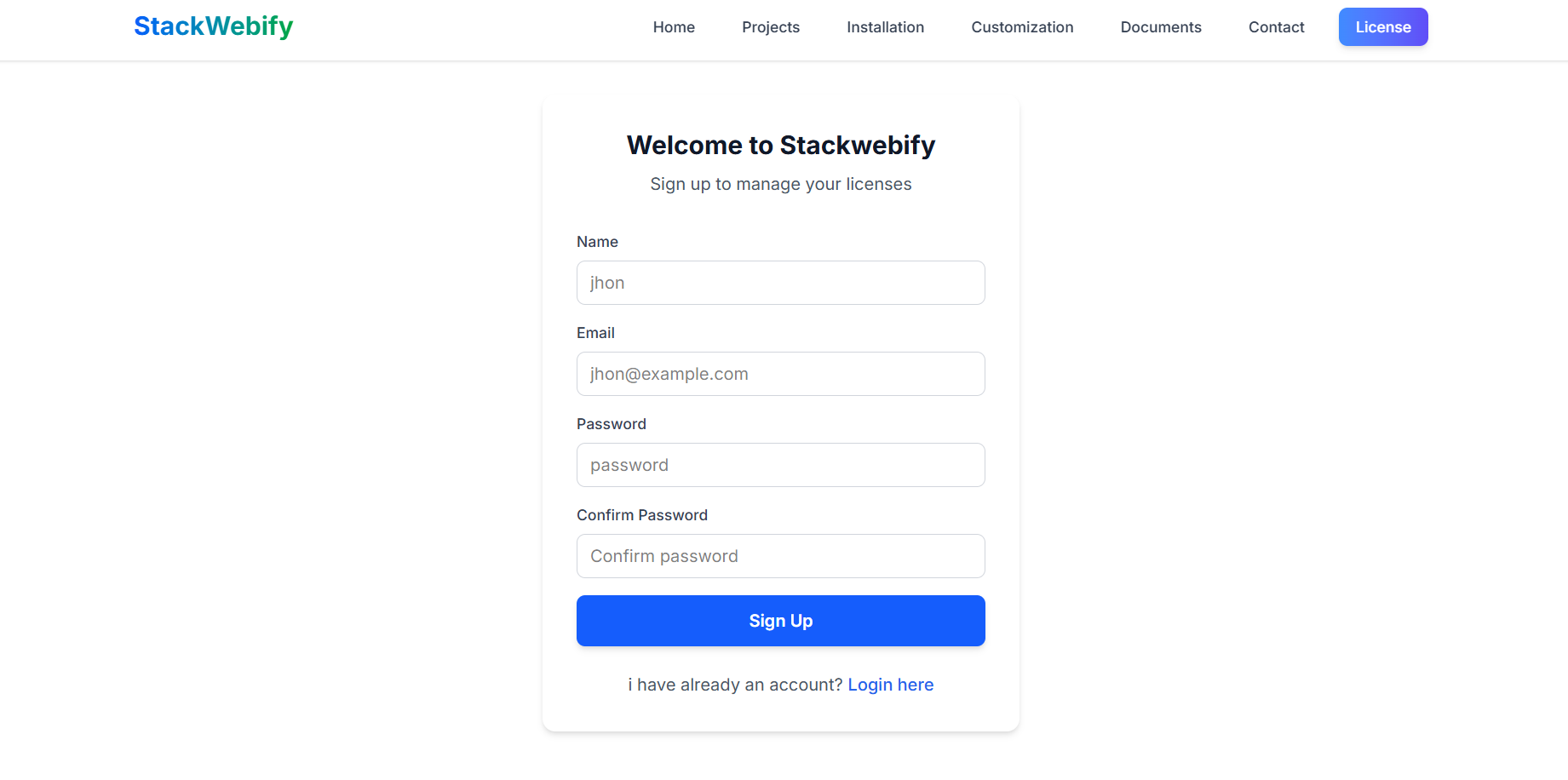
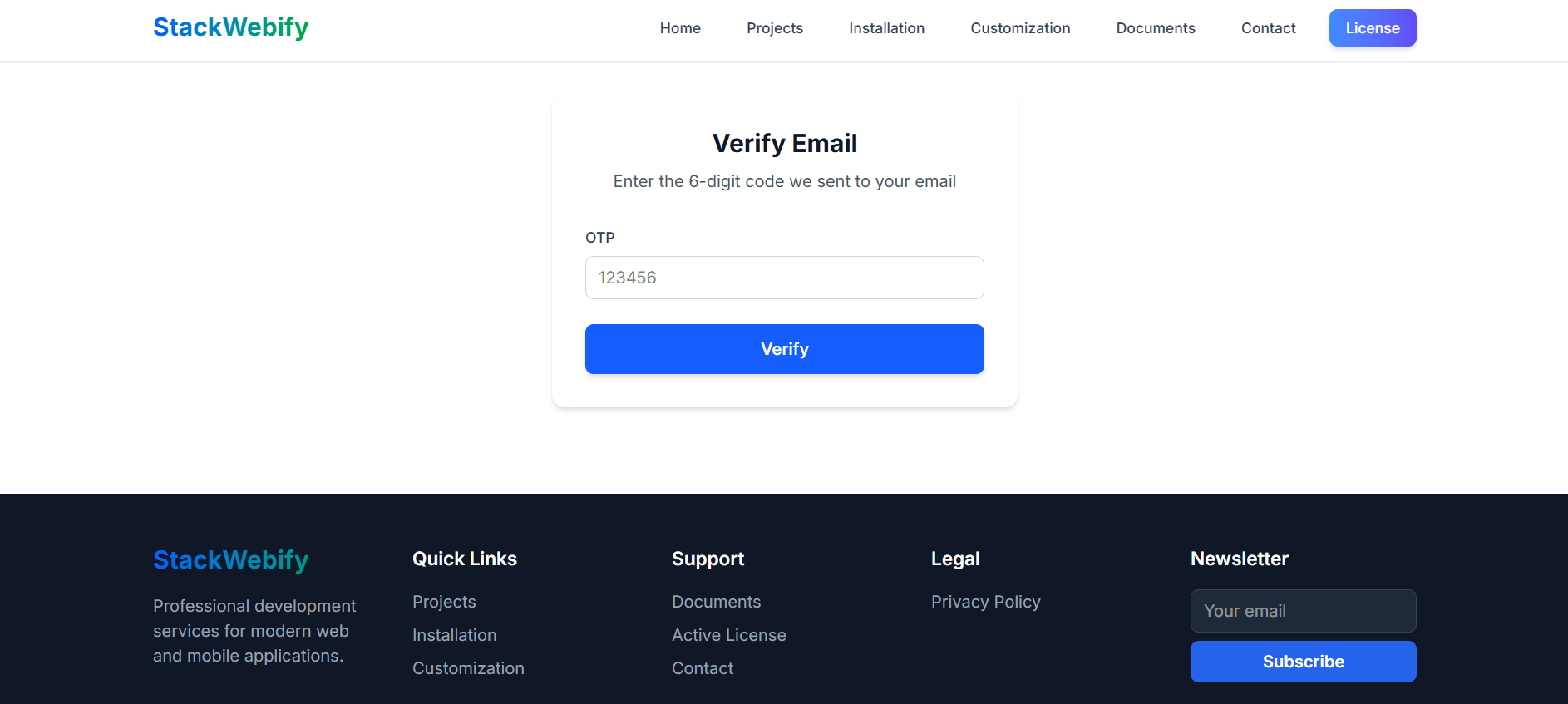
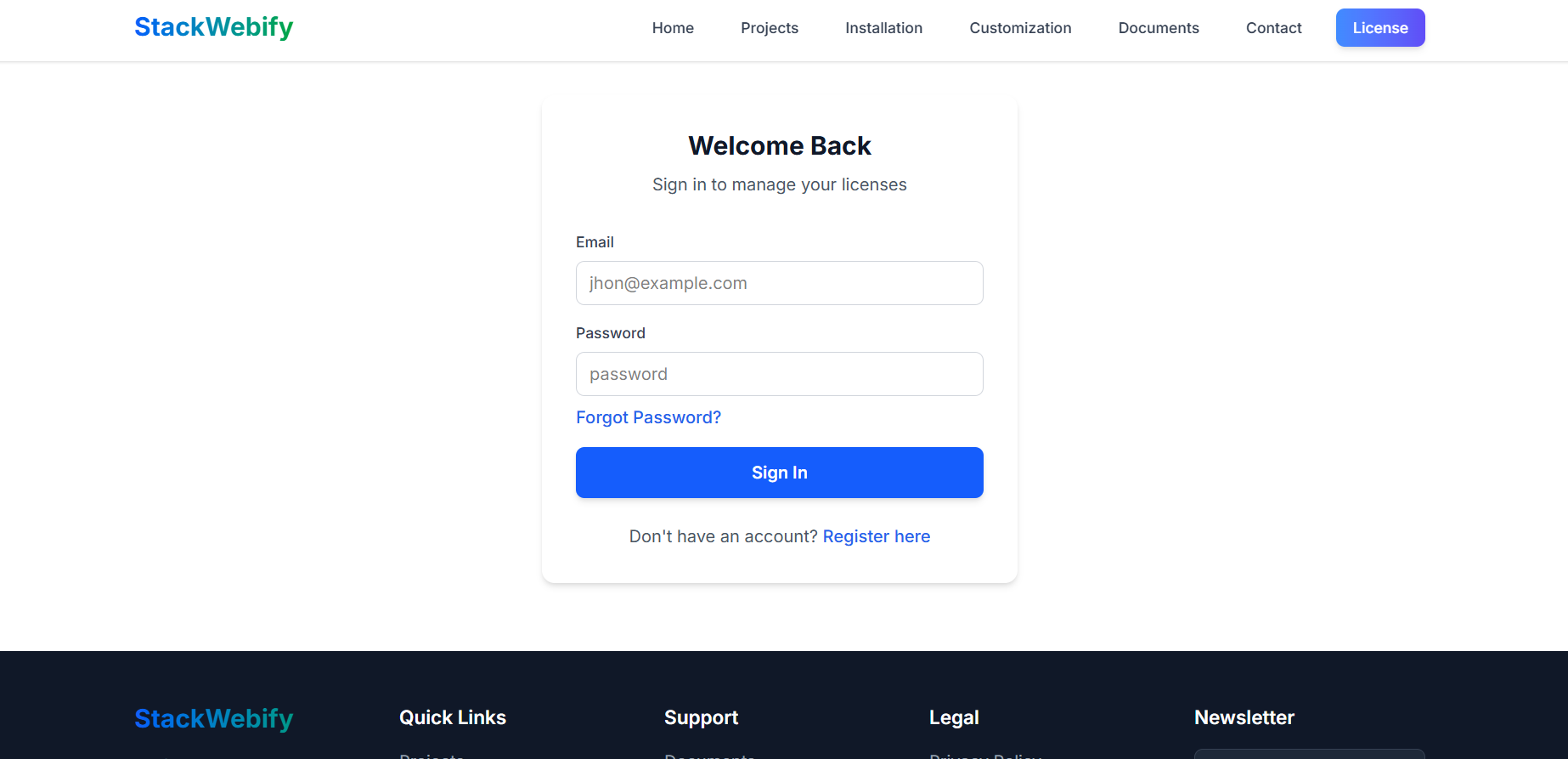
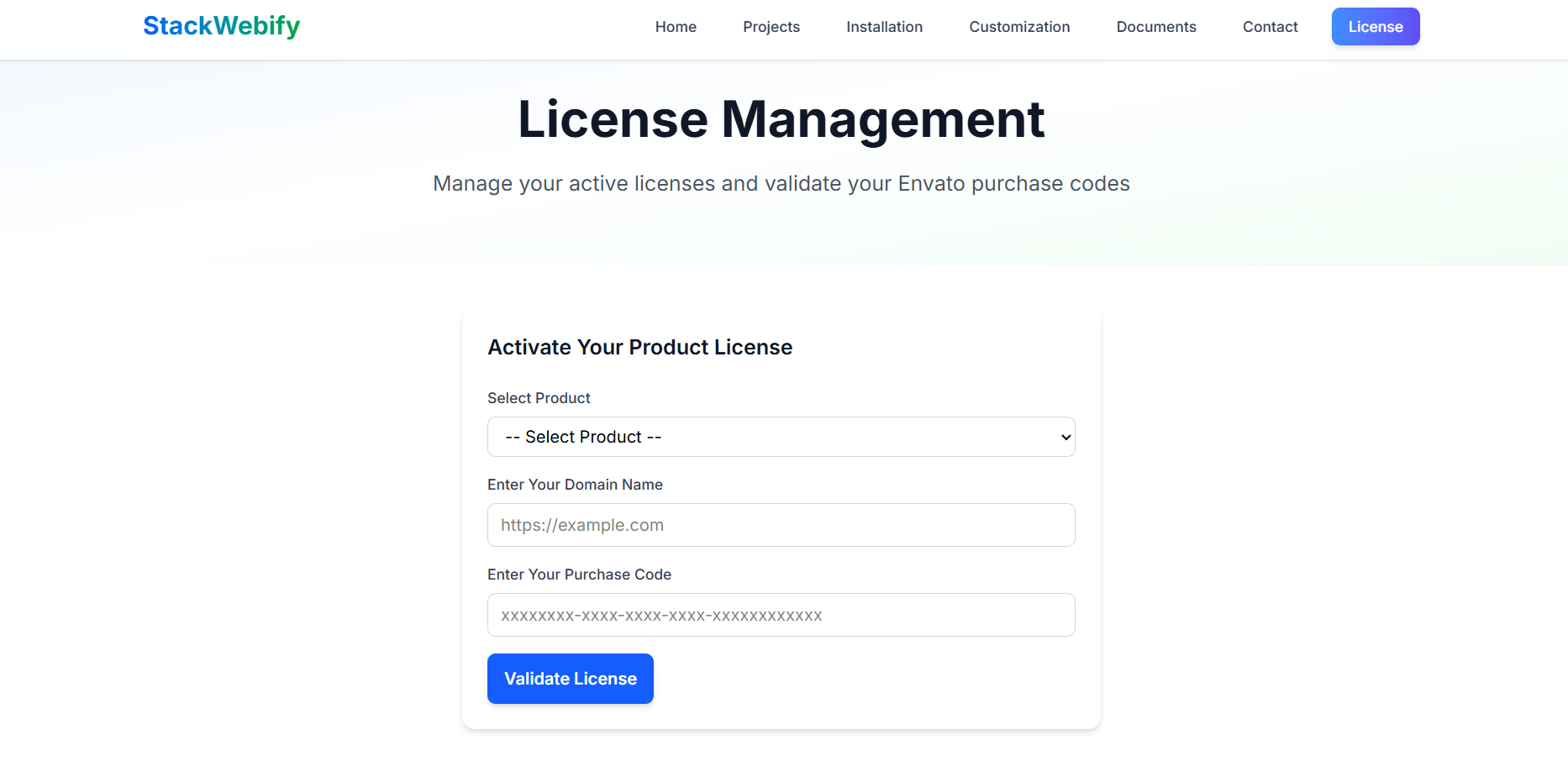
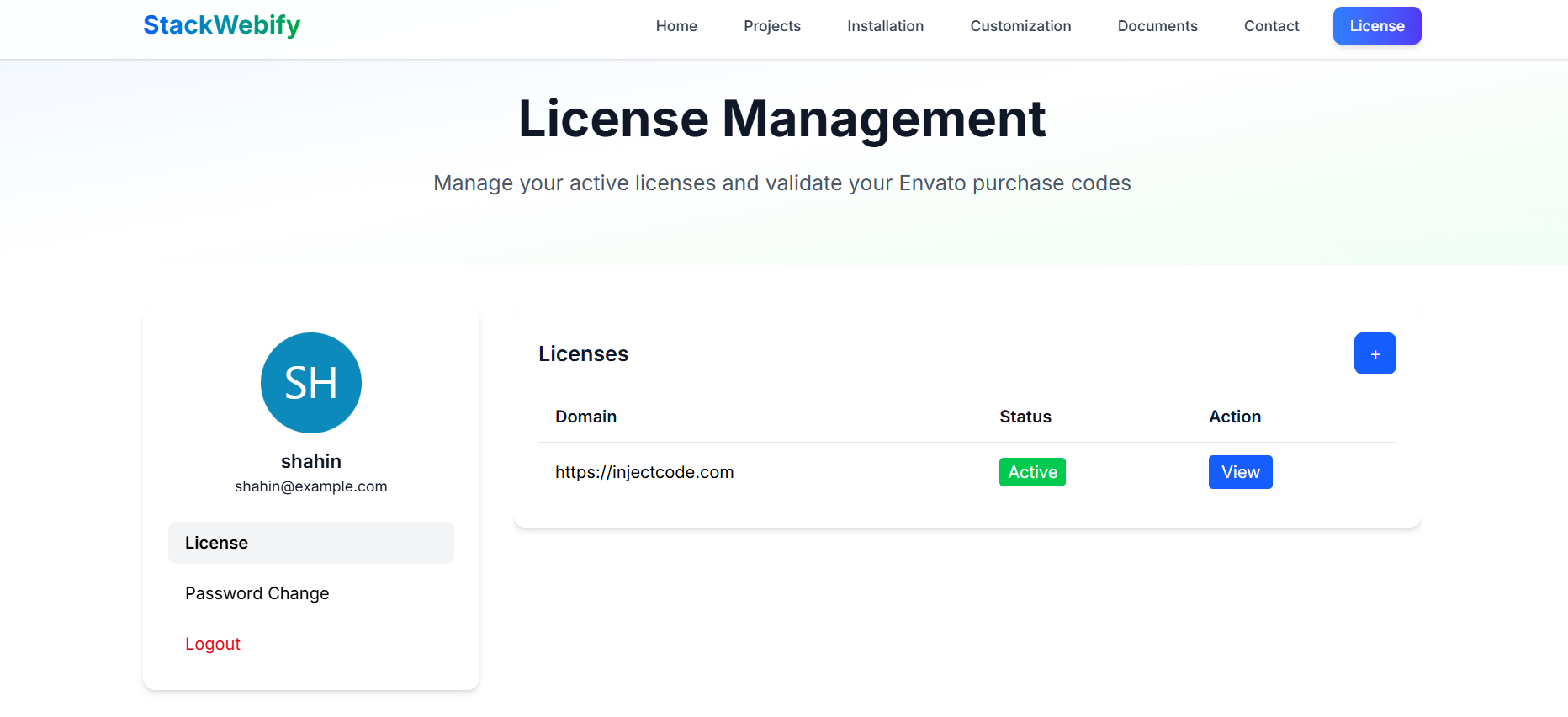
Before install, please active your envato purchase key from our system and install project by our license key, follow below step by step.
- Go to Stackwebify official site stackwebify
- Create an account in our site
- Verify your email
- Login your accout
- Click on + icon
- Validate purchase key
- Select your product
- Enter your domain, Which domain you would be using this product
- Enter your envato purchase key
- Click on Validate License
- Click on View button
- Now copy your License key and install the product by this license

Installation
php.ini Requirements
For this script to run correctly, the open_basedir directive must be disabled.
In your php.ini file, update the setting as shown
below:
;open_basedir =(The semicolon ; disables the directive.)
Follow the steps below to setup the website
-
Unzip the downloaded package from CodeCanyon.
Inside the extracted files, open the/source-codefolder and locateweb.zip.
Upload this file to your hosting server (via FTP or localhost) and unzip it in your desired location. -
Upload the script files.
Ensure all extracted files and folders are placed in your
server’s
root directory(public_html or equivalent). -
Set folder permissions.
Give the following folders
755permissions (recursively):/bootstrap/storage
- Create a database. Using phpMyAdmin (or your preferred tool), create a new database for the application.
-
Start the installation.
Open your browser and go to:
https://yourdomain.com/install/welcomeClick on the “Check Requirements” button. - requirements. - If all PHP extensions are installed → click “Continue”.
- permissions. - If folder permissions are correct → click “Continue”.
- license Provide the license key you obtained from Stackwebify, then → click “Continue”.
-
Site Info.
Enter the following details:
- Site name
- Application URL
-
database.
Enter the following details:
- Database Host
- Database Port
- Database Name
- Database Username
- Database Password
- Install. Then click “Install”.
-
Finish.
After setup, you’ll see default admin login details:
Email: admin@example.comPassword: 12345678Use these to log in to your dashboard. - 🎉 Congratulations! Your application is now installed successfully.
Settings
Within the dashboard, you’ll find a dedicated “Settings” section. This area allows you to configure key aspects of your website, including General settings, Mail settings etc.
Support
If this documentation doesn't answer your questions, So, Please send us Email via Item Support Page
We are located in UTC+03 time zone and we answer all questions within 12-24 hours in weekdays. In some rare cases the waiting time can be to 48 hours. (except holiday seasons which might take longer).
Don’t forget to Rate this template
Go to your Codecanyon Profile > Downloads Tab > & then You can Rate & Review for our template.
Thank You.
Changelog
Version 1.0.0 (22 April, 2026)
Initial Release